Mail a PDF online
Have a signed form, an application or a letter you already wrote? Upload the PDF and we print it, put it in an envelope and mail it by USPS. $4.99 First-Class, $14.99 Certified, or express for $10.00 more. No printer, no stamps, no post office.
- Price
- $4.99 First-Class, the same for 1 to 6 pages. Printing, envelope and postage included.
- Proof of delivery
- Certified Mail $14.99, or $19.99 with a return receipt (the recipient's signature).
- Faster
- Express (USPS Priority Mail, usually 2 to 3 days, tracked): $10.00 more. Not combinable with Certified.
- Your file
- PDF, up to 6 pages and 15 MB. Any page size; each page is fitted to 8.5×11.
- Printing
- One-sided, black and white. Color is $1.00 more.
- Addresses
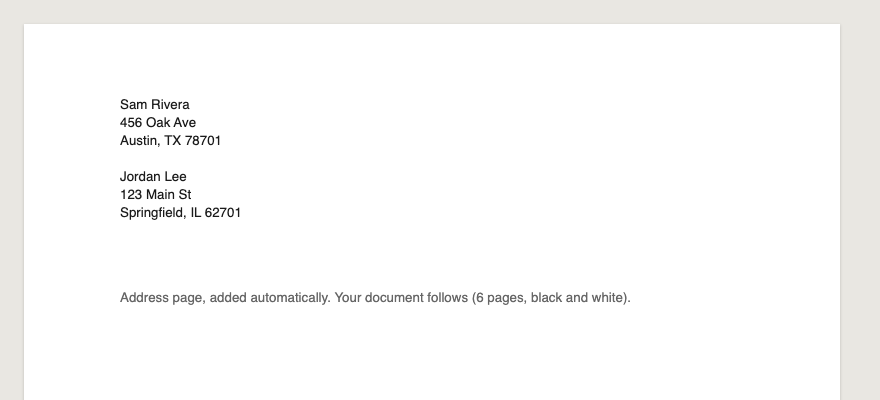
- We add an address page in front, so your document needs no room for them. US addresses only.
How it works
01Pick the form, then upload
Need tracking and proof of delivery? Start from the Certified letter form ($14.99). Otherwise use the Letter form ($4.99 First-Class, or Express). Choose Upload a PDF and drop in your file: each page is fitted to US Letter (8.5×11), and a file over 6 pages is turned back right away with a message saying so.
02Add the addresses
Enter who it's going to and your return address. Sending the same document to several people? Add up to 25 recipients; each is mailed separately and you pay once.
03Check the print and pay
Preview the print and pay opens your order page: an itemized total and the exact print, starting with the address page we add. Nothing is printed until you pay, and a person reviews every piece before it's mailed.
What to include
- The recipient's full US mailing address
- Your return address
- Every page you need them to receive, in one PDF
- Signatures already on the document (we print what you upload)
Ask your agent
With Sendpaper connected to Codex, Muse or Claude, paste this and fill in the brackets:
Common questions
Does it cost more for more pages?
No. A PDF letter is $4.99 First-Class for anything from 1 to 6 pages, or $14.99 by Certified Mail.
What if my PDF is longer than six pages?
The upload is turned back with a message giving the page count. Split it and send two letters, or trim pages you don't need. The limit is 6 pages.
What happens to the page size?
Each page is scaled to fit US Letter (8.5×11), keeping its proportions, so A4 and other sizes print correctly. We keep our own normalized copy, so what prints is exactly what you previewed.
Is it printed on both sides?
No. Every page prints on one side, in black and white unless you choose color ($1.00 more).
Where do the addresses go?
On an extra address page we add in front, which shows through the envelope window. Your document prints exactly as it is.
Can my AI agent mail a PDF?
Yes. Agents pass a public link to the PDF to create_letter (content.pdf_url), and the order works like any other: you get a preview and a checkout link.
Sendpaper prints and mails what you or your agent writes. We're not a law firm or tax preparer and don't give legal or tax advice; for deadlines and the right address, check the notice itself, the agency, or a professional.